


General
PromptBeginner5 minmarkdown
Untitled Skill
193
<div align="center">
Loading actions...
Main instructions and any bundled files for this skill.





Langfuse 是一个 开源 LLM 工程 平台。它帮助团队协作 开发、监控、评估 以及 调试 AI 应用。Langfuse 可在几分钟内 自托管,并且经过 实战考验。
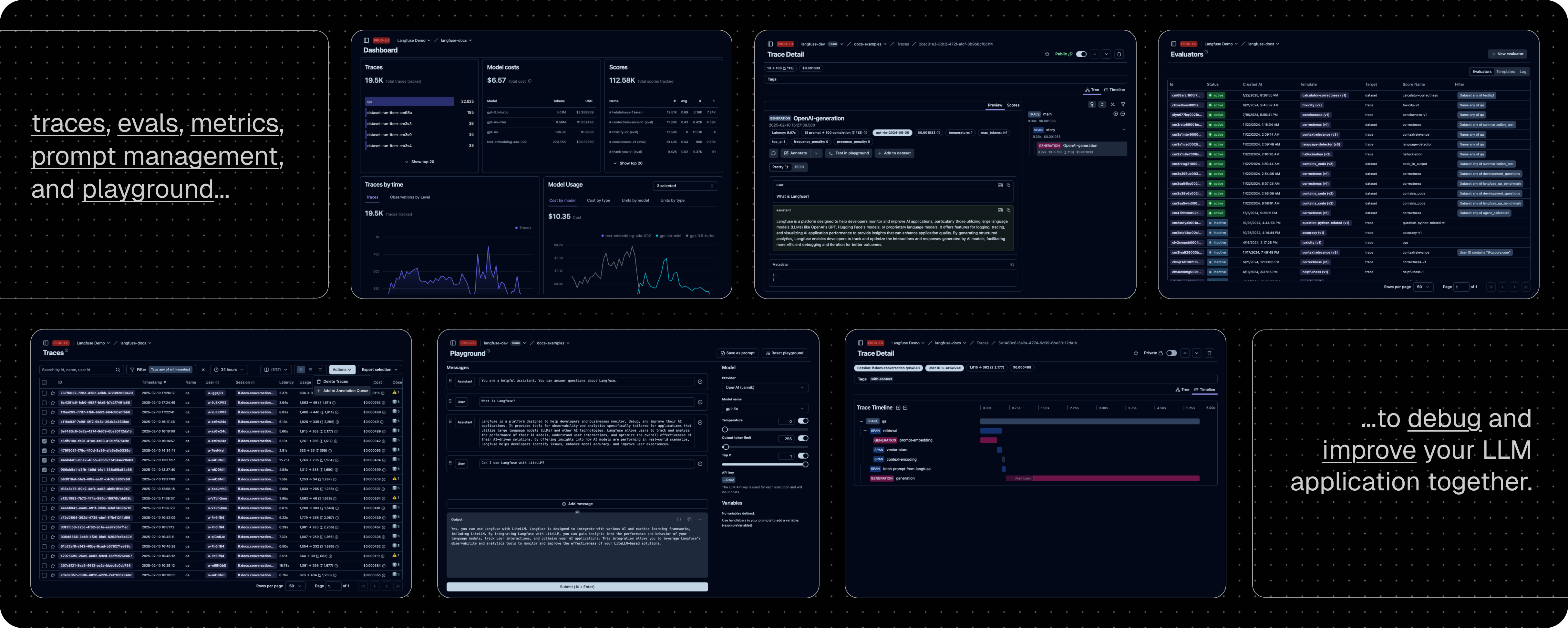
LLM 应用可观察性:为你的应用插入仪表代码,并开始将追踪数据传送到 Langfuse,从而追踪 LLM 调用及应用中其他相关逻辑(如检索、嵌入或代理操作)。检查并调试复杂日志及用户会话。试试互动的 演示 看看效果。
提示管理 帮助你集中管理、版本控制并协作迭代提示。得益于服务器和客户端的高效缓存,你可以在不增加延迟的情况下反复迭代提示。
评估 是 LLM 应用开发流程的关键组成部分,Langfuse 能够满足你的多样需求。它支持 LLM 作为"裁判"、用户反馈收集、手动标注以及通过 API/SDK 实现自定义评估流程。
数据集 为评估你的 LLM 应用提供测试集和基准。它们支持持续改进、部署前测试、结构化实验、灵活评估,并能与 LangChain、LlamaIndex 等框架无缝整合。
LLM 试玩平台 是用于测试和迭代提示及模型配置的工具,缩短反馈周期,加速开发。当你在追踪中发现异常结果时,可以直接跳转至试玩平台进行调整。
综合 API:Langfuse 常用于驱动定制化的 LLMOps 工作流程,同时利用 Langfuse 提供的构建模块和 API。我们提供 OpenAPI 规格、Postman 集合以及针对 Python 和 JS/TS 的类型化 SDK。
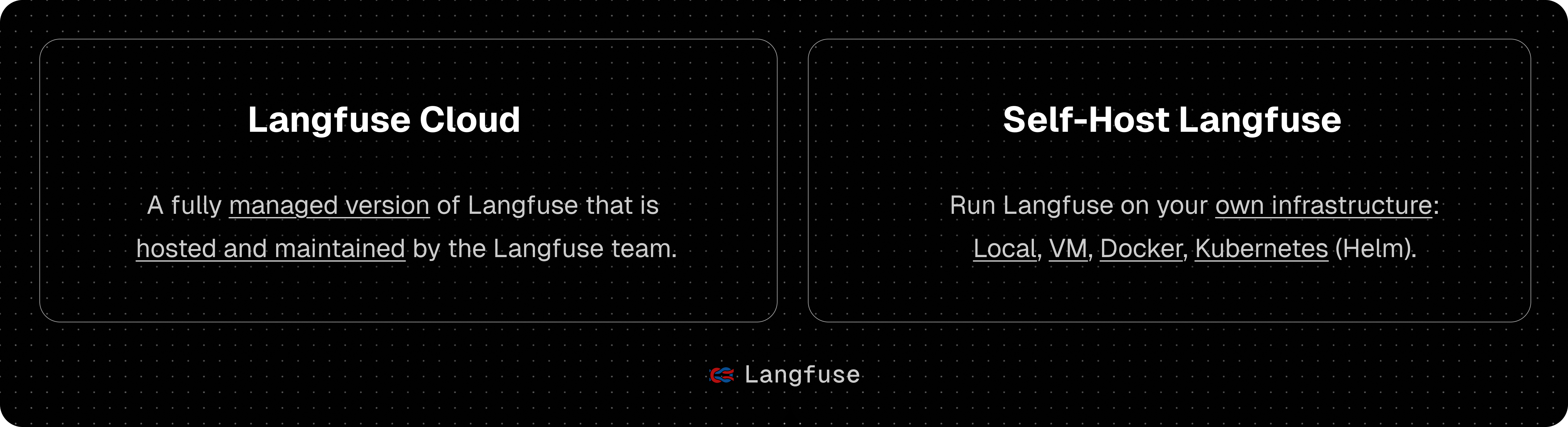
由 Langfuse 团队管理的部署,提供慷慨的免费额度(爱好者计划),无需信用卡。

在你自己的基础设施上运行 Langfuse:
本地(docker compose):使用 Docker Compose 在你的机器上于 5 分钟内运行 Langfuse。
# 获取最新的 Langfuse 仓库副本
git clone https://github.com/langfuse/langfuse.git
cd langfuse

# 运行 Langfuse 的 docker compose
docker compose up
Kubernetes(Helm):使用 Helm 在 Kubernetes 集群上部署 Langfuse。这是推荐的生产环境部署方式。
虚拟机:使用 Docker Compose 在单台虚拟机上部署 Langfuse。
请参阅 自托管文档 了解更多关于架构和配置选项的信息。
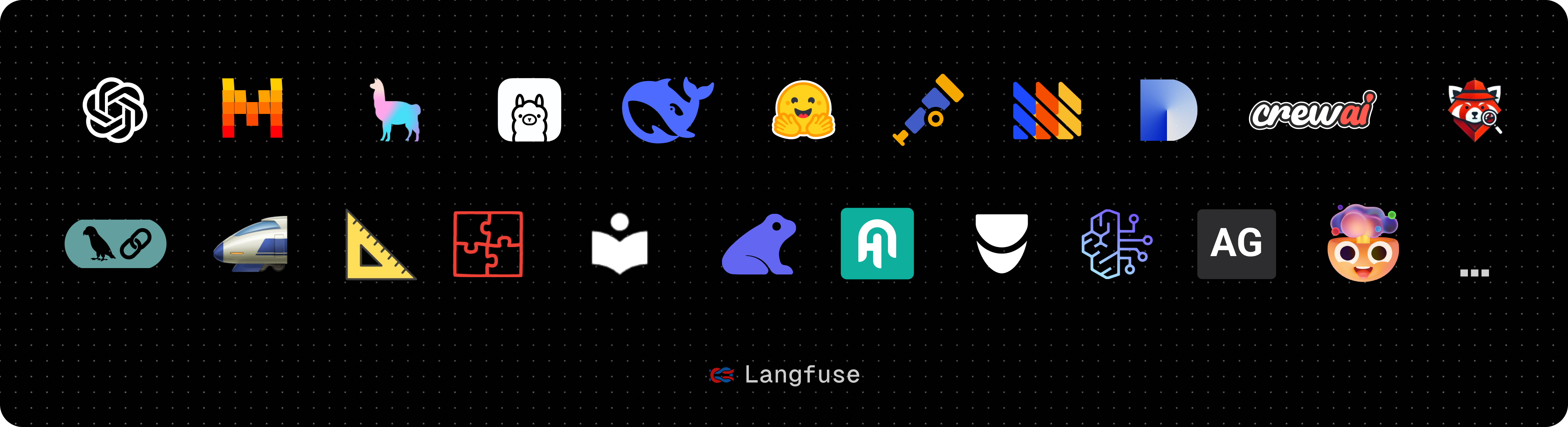
| 集成 | 支持语言/平台 | 描述 |
|---|---|---|
| SDK | Python, JS/TS | 使用 SDK 进行手动仪表化,实现全面灵活性。 |
| OpenAI | Python, JS/TS | 通过直接替换 OpenAI SDK 实现自动仪表化。 |
| Langchain | Python, JS/TS | 通过传入回调处理器至 Langchain 应用实现自动仪表化。 |
| LlamaIndex | Python | 通过 LlamaIndex 回调系统实现自动仪表化。 |
| Haystack | Python | 通过 Haystack 内容追踪系统实现自动仪表化。 |
| LiteLLM | Python, JS/TS (仅代理) | 允许使用任何 LLM 替代 GPT。支持 Azure、OpenAI、Cohere、Anthropic、Ollama、VLLM、Sagemaker、HuggingFace、Replicate(100+ LLMs)。 |
| Vercel AI SDK | JS/TS | 基于 TypeScript 的工具包,帮助开发者使用 React、Next.js、Vue、Svelte 和 Node.js 构建 AI 驱动的应用。 |
| API | 直接调用公共 API。提供 OpenAPI 规格。 | |
| Google VertexAI 和 Gemini | 模型 | 在 Google 上运行基础模型和微调模型。 |
| 名称 | 类型 | 描述 |
|---|---|---|
| Instructor | 库 | 用于获取结构化 LLM 输出(JSON、Pydantic)的库。 |
| DSPy | 库 | 一个系统性优化语言模型提示和权重的框架。 |
| Amazon Bedrock | 模型 | 在 AWS 上运行基础模型和微调模型。 |
| Mirascope | 库 | 构建 LLM 应用的 Python 工具包。 |
| Ollama | 模型(本地) | 在你的机器上轻松运行开源 LLM。 |
| AutoGen | 代理框架 | 用于构建分布式代理的开源 LLM 平台。 |
| Flowise | 聊天/代理界面 | 基于 JS/TS 的无代码构建器,用于定制化 LLM 流程。 |
| Langflow | 聊天/代理界面 | 基于 Python 的 LangChain 用户界面,采用 react-flow 设计,提供便捷的实验与原型构建体验。 |
| Dify | 聊天/代理界面 | 带有无代码构建器的开源 LLM 应用开发平台。 |
| OpenWebUI | 聊天/代理界面 | 自托管的 LLM 聊天网页界面,支持包括自托管和本地模型在内的多种 LLM 运行器。 |
| Promptfoo | 工具 | 开源 LLM 测试平台。 |
| LobeChat | 聊天/代理界面 | 开源聊天机器人平台。 |
| Vapi | 平台 | 开源语音 AI 平台。 |
| Inferable | 代理 | 构建分布式代理的开源 LLM 平台。 |
| Gradio | 聊天/代理界面 | 开源 Python 库,可用于构建类似聊天 UI 的网页界面。 |
| Goose | 代理 | 构建分布式代理的开源 LLM 平台。 |
| smolagents | 代理 | 开源 AI 代理框架。 |
| CrewAI | 代理 | 多代理框架,用于实现代理之间的协作与工具调用。 |
为你的应用增加仪表代码,并开始将追踪数据上传到 Langfuse,从而记录 LLM 调用及应用中其他相关逻辑(如检索、嵌入或代理操作)。
使用 @observe() 装饰器 可轻松跟踪任何 Python LLM 应用。在本快速入门中,我们还使用了 Langfuse 的 OpenAI 集成 来自动捕获所有模型参数。
[!提示] 不使用 OpenAI?请访问 我们的文档 了解如何记录其他模型和框架。
安装依赖:
pip install langfuse openai
配置环境变量(创建名为 .env 的文件):
LANGFUSE_SECRET_KEY="sk-lf-..."
LANGFUSE_PUBLIC_KEY="pk-lf-..."
LANGFUSE_BASE_URL="https://cloud.langfuse.com" # 🇪🇺 欧盟区域
# LANGFUSE_BASE_URL="https://us.cloud.langfuse.com" # 🇺🇸 美洲区域
创建示例代码(文件名:main.py):
from langfuse import observe
from langfuse.openai import openai  # OpenAI 集成

@observe()
def story():
    return openai.chat.completions.create(
        model="gpt-4o",
        messages=[{"role": "user", "content": "What is Langfuse?"}],
    ).choices[0].message.content

@observe()
def main():
    return story()

main()
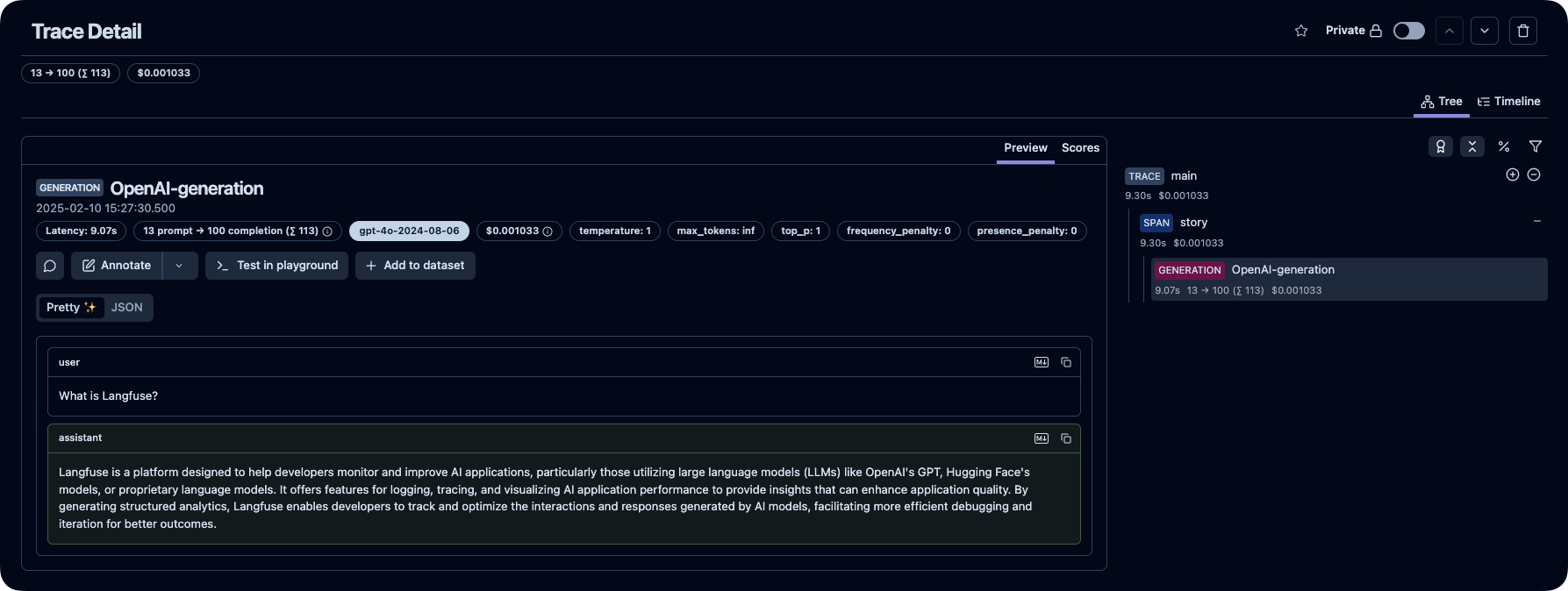
在 Langfuse 中查看你的语言模型调用及其他应用逻辑。
[!提示]
查找问题答案:
支持渠道:
欢迎你的贡献!
除 ee 文件夹外,本仓库采用 MIT 许可证。详情请参见 LICENSE 以及 文档。
以下是使用 Langfuse 的顶级开源 Python 项目,按星标数排名(来源):
我们非常重视数据安全和隐私。更多信息请参阅我们的 安全与隐私 页面。
默认情况下,Langfuse 会自动将自托管实例的基础使用统计数据上传至集中服务器(PostHog)。
这有助于我们:
遥测数据不包括原始 traces、prompts、observations、scores 或数据集内容。我们在遥测文档中记录了收集的确切字段、这些数据会被发送到哪里,以及相关实现说明。
对于 Langfuse OSS,你可以通过设置 TELEMETRY_ENABLED=false 来选择退出。

<div align="center">
<div>
<h3>
<a href="https://langfuse.com/cn">
<strong>🇨🇳 🤝 🪢</strong>
</a> ·
<a href="https://cloud.langfuse.com">
<strong>Langfuse Cloud</strong>
</a> ·
<a href="https://langfuse.com/docs/deployment/self-host">
<strong>自托管</strong>
</a> ·
<a href="https://langfuse.com/demo">
<strong>演示</strong>
</a>
</h3>
</div>
<div>
<a href="https://langfuse.com/docs"><strong>文档</strong></a> ·
<a href="https://langfuse.com/issues"><strong>报告问题</strong></a> ·
<a href="https://langfuse.com/ideas"><strong>功能请求</strong></a> ·
<a href="https://langfuse.com/changelog"><strong>更新日志</strong></a> ·
<a href="https://langfuse.com/roadmap"><strong>路线图</strong></a> ·
</div>
<br/>
<span>Langfuse 使用 <a href="https://github.com/orgs/langfuse/discussions"><strong>GitHub Discussions</strong></a> 作为支持和功能请求的平台。</span>
<br/>
<span><b>我们正在招聘。</b> <a href="https://langfuse.com/careers"><strong>加入我们</strong></a>,从事产品工程和技术市场职位。</span>
<br/>
<br/>
<div>
</div>
</div>
<p align="center">
<a href="https://github.com/langfuse/langfuse/blob/main/LICENSE">
<img src="https://img.shields.io/badge/License-MIT-E11311.svg" alt="MIT License">
</a>
<a href="https://www.ycombinator.com/companies/langfuse">
<img src="https://img.shields.io/badge/Y%20Combinator-W23-orange" alt="Y Combinator W23">
</a>
<a href="https://hub.docker.com/u/langfuse" target="_blank">
<img alt="Docker Pulls" src="https://img.shields.io/docker/pulls/langfuse/langfuse?labelColor=%20%23FDB062&logo=Docker&labelColor=%20%23528bff">
</a>
<a href="https://pypi.python.org/pypi/langfuse">
<img src="https://img.shields.io/pypi/dm/langfuse?logo=python&logoColor=white&label=pypi%20langfuse&color=blue" alt="langfuse Python package on PyPi">
</a>
<a href="https://www.npmjs.com/package/langfuse">
<img src="https://img.shields.io/npm/dm/langfuse?logo=npm&logoColor=white&label=npm%20langfuse&color=blue" alt="langfuse npm package">
</a>
<br/>
<a href="https://discord.com/invite/7NXusRtqYU" target="_blank">
<img src="https://img.shields.io/discord/1111061815649124414?logo=discord&labelColor=%20%235462eb&logoColor=%20%23f5f5f5&color=%20%235462eb"
alt="在 Discord 上聊天">
</a>
<a href="https://twitter.com/intent/follow?screen_name=langfuse" target="_blank">
<img src="https://img.shields.io/twitter/follow/langfuse?logo=X&color=%20%23f5f5f5"
alt="在 X (Twitter) 上关注">
</a>
<a href="https://www.linkedin.com/company/langfuse/" target="_blank">
<img src="https://custom-icon-badges.demolab.com/badge/LinkedIn-0A66C2?logo=linkedin-white&logoColor=fff"
alt="在 LinkedIn 上关注">
</a>
<a href="https://github.com/langfuse/langfuse/graphs/commit-activity" target="_blank">
<img alt="过去一个月的提交" src="https://img.shields.io/github/commit-activity/m/langfuse/langfuse?labelColor=%20%2332b583&color=%20%2312b76a">
</a>
<a href="https://github.com/langfuse/langfuse/" target="_blank">
<img alt="已关闭的问题" src="https://img.shields.io/github/issues-search?query=repo%3Alangfuse%2Flangfuse%20is%3Aclosed&label=issues%20closed&labelColor=%20%237d89b0&color=%20%235d6b98">
</a>
<a href="https://github.com/langfuse/langfuse/discussions/" target="_blank">
<img alt="讨论帖数量" src="https://img.shields.io/github/discussions/langfuse/langfuse?labelColor=%20%239b8afb&color=%20%237a5af8">
</a>
</p>
<p align="center">
<a href="./README.md"><img alt="README in English" src="https://img.shields.io/badge/English-d9d9d9"></a>
<a href="./README.cn.md"><img alt="简体中文版自述文件" src="https://img.shields.io/badge/简体中文-d9d9d9"></a>
<a href="./README.ja.md"><img alt="日本語のREADME" src="https://img.shields.io/badge/日本語-d9d9d9"></a>
<a href="./README.kr.md"><img alt="README in Korean" src="https://img.shields.io/badge/한국어-d9d9d9"></a>
</p>
Langfuse 是一个 **开源 LLM 工程** 平台。它帮助团队协作 **开发、监控、评估** 以及 **调试** AI 应用。Langfuse 可在几分钟内 **自托管**,并且经过 **实战考验**。
[](https://langfuse.com/watch-demo)
## ✨ 核心特性

- [LLM 应用可观察性](https://langfuse.com/docs/tracing):为你的应用插入仪表代码,并开始将追踪数据传送到 Langfuse,从而追踪 LLM 调用及应用中其他相关逻辑(如检索、嵌入或代理操作)。检查并调试复杂日志及用户会话。试试互动的 [演示](https://langfuse.com/docs/demo) 看看效果。
- [提示管理](https://langfuse.com/docs/prompt-management/get-started) 帮助你集中管理、版本控制并协作迭代提示。得益于服务器和客户端的高效缓存,你可以在不增加延迟的情况下反复迭代提示。
- [评估](https://langfuse.com/docs/evaluation/overview) 是 LLM 应用开发流程的关键组成部分,Langfuse 能够满足你的多样需求。它支持 LLM 作为"裁判"、用户反馈收集、手动标注以及通过 API/SDK 实现自定义评估流程。
- [数据集](https://langfuse.com/docs/evaluation/dataset-runs/datasets) 为评估你的 LLM 应用提供测试集和基准。它们支持持续改进、部署前测试、结构化实验、灵活评估,并能与 LangChain、LlamaIndex 等框架无缝整合。
- [LLM 试玩平台](https://langfuse.com/docs/playground) 是用于测试和迭代提示及模型配置的工具,缩短反馈周期,加速开发。当你在追踪中发现异常结果时,可以直接跳转至试玩平台进行调整。
- [综合 API](https://langfuse.com/docs/api):Langfuse 常用于驱动定制化的 LLMOps 工作流程,同时利用 Langfuse 提供的构建模块和 API。我们提供 OpenAPI 规格、Postman 集合以及针对 Python 和 JS/TS 的类型化 SDK。
## 📦 部署 Langfuse

### Langfuse Cloud
由 Langfuse 团队管理的部署,提供慷慨的免费额度(爱好者计划),无需信用卡。
<div align="center">
<a href="https://cloud.langfuse.com" target="_blank">
<img alt="注册 Langfuse Cloud" src="https://img.shields.io/badge/»%20Sign%20up%20for%20Langfuse%20Cloud-8A2BE2?&color=orange">
</a>
</div>
### 自托管 Langfuse
在你自己的基础设施上运行 Langfuse:
- [本地(docker compose)](https://langfuse.com/self-hosting/local):使用 Docker Compose 在你的机器上于 5 分钟内运行 Langfuse。
```bash:README.md/docker-compose
# 获取最新的 Langfuse 仓库副本
git clone https://github.com/langfuse/langfuse.git
cd langfuse
# 运行 Langfuse 的 docker compose
docker compose up
```
- [Kubernetes(Helm)](https://langfuse.com/self-hosting/kubernetes-helm):使用 Helm 在 Kubernetes 集群上部署 Langfuse。这是推荐的生产环境部署方式。
- [虚拟机](https://langfuse.com/self-hosting/docker-compose):使用 Docker Compose 在单台虚拟机上部署 Langfuse。
- Terraform 模板: [AWS](https://langfuse.com/self-hosting/aws)、[Azure](https://langfuse.com/self-hosting/azure)、[GCP](https://langfuse.com/self-hosting/gcp)
请参阅 [自托管文档](https://langfuse.com/self-hosting) 了解更多关于架构和配置选项的信息。
## 🔌 集成

### 主要集成:
| 集成 | 支持语言/平台 | 描述 |
| ------------------------------------------------------------------------------------ | ---------------------- | -------------------------------------------------------------------------------------------------------------------------------- |
| [SDK](https://langfuse.com/docs/sdk) | Python, JS/TS | 使用 SDK 进行手动仪表化,实现全面灵活性。 |
| [OpenAI](https://langfuse.com/integrations/model-providers/openai-py) | Python, JS/TS | 通过直接替换 OpenAI SDK 实现自动仪表化。 |
| [Langchain](https://langfuse.com/docs/integrations/langchain) | Python, JS/TS | 通过传入回调处理器至 Langchain 应用实现自动仪表化。 |
| [LlamaIndex](https://langfuse.com/docs/integrations/llama-index/get-started) | Python | 通过 LlamaIndex 回调系统实现自动仪表化。 |
| [Haystack](https://langfuse.com/docs/integrations/haystack) | Python | 通过 Haystack 内容追踪系统实现自动仪表化。 |
| [LiteLLM](https://langfuse.com/docs/integrations/litellm) | Python, JS/TS (仅代理) | 允许使用任何 LLM 替代 GPT。支持 Azure、OpenAI、Cohere、Anthropic、Ollama、VLLM、Sagemaker、HuggingFace、Replicate(100+ LLMs)。 |
| [Vercel AI SDK](https://langfuse.com/docs/integrations/vercel-ai-sdk) | JS/TS | 基于 TypeScript 的工具包,帮助开发者使用 React、Next.js、Vue、Svelte 和 Node.js 构建 AI 驱动的应用。 |
| [API](https://langfuse.com/docs/api) | | 直接调用公共 API。提供 OpenAPI 规格。 |
| [Google VertexAI 和 Gemini](https://langfuse.com/docs/integrations/google-vertex-ai) | 模型 | 在 Google 上运行基础模型和微调模型。 |
### 与 Langfuse 集成的软件包:
| 名称 | 类型 | 描述 |
| ----------------------------------------------------------------------- | ------------- | --------------------------------------------------------------------------------------- |
| [Instructor](https://langfuse.com/docs/integrations/instructor) | 库 | 用于获取结构化 LLM 输出(JSON、Pydantic)的库。 |
| [DSPy](https://langfuse.com/docs/integrations/dspy) | 库 | 一个系统性优化语言模型提示和权重的框架。 |
| [Amazon Bedrock](https://langfuse.com/docs/integrations/amazon-bedrock) | 模型 | 在 AWS 上运行基础模型和微调模型。 |
| [Mirascope](https://langfuse.com/docs/integrations/mirascope) | 库 | 构建 LLM 应用的 Python 工具包。 |
| [Ollama](https://langfuse.com/docs/integrations/ollama) | 模型(本地) | 在你的机器上轻松运行开源 LLM。 |
| [AutoGen](https://langfuse.com/docs/integrations/autogen) | 代理框架 | 用于构建分布式代理的开源 LLM 平台。 |
| [Flowise](https://langfuse.com/docs/integrations/flowise) | 聊天/代理界面 | 基于 JS/TS 的无代码构建器,用于定制化 LLM 流程。 |
| [Langflow](https://langfuse.com/docs/integrations/langflow) | 聊天/代理界面 | 基于 Python 的 LangChain 用户界面,采用 react-flow 设计,提供便捷的实验与原型构建体验。 |
| [Dify](https://langfuse.com/docs/integrations/dify) | 聊天/代理界面 | 带有无代码构建器的开源 LLM 应用开发平台。 |
| [OpenWebUI](https://langfuse.com/docs/integrations/openwebui) | 聊天/代理界面 | 自托管的 LLM 聊天网页界面,支持包括自托管和本地模型在内的多种 LLM 运行器。 |
| [Promptfoo](https://langfuse.com/docs/integrations/promptfoo) | 工具 | 开源 LLM 测试平台。 |
| [LobeChat](https://langfuse.com/docs/integrations/lobechat) | 聊天/代理界面 | 开源聊天机器人平台。 |
| [Vapi](https://langfuse.com/docs/integrations/vapi) | 平台 | 开源语音 AI 平台。 |
| [Inferable](https://langfuse.com/docs/integrations/other/inferable) | 代理 | 构建分布式代理的开源 LLM 平台。 |
| [Gradio](https://langfuse.com/docs/integrations/other/gradio) | 聊天/代理界面 | 开源 Python 库,可用于构建类似聊天 UI 的网页界面。 |
| [Goose](https://langfuse.com/docs/integrations/goose) | 代理 | 构建分布式代理的开源 LLM 平台。 |
| [smolagents](https://langfuse.com/docs/integrations/smolagents) | 代理 | 开源 AI 代理框架。 |
| [CrewAI](https://langfuse.com/docs/integrations/crewai) | 代理 | 多代理框架,用于实现代理之间的协作与工具调用。 |
## 🚀 快速入门
为你的应用增加仪表代码,并开始将追踪数据上传到 Langfuse,从而记录 LLM 调用及应用中其他相关逻辑(如检索、嵌入或代理操作)。
### 1️⃣ 创建新项目
1. [创建 Langfuse 账户](https://cloud.langfuse.com/auth/sign-up) 或 [自托管](https://langfuse.com/self-hosting)
2. 创建一个新项目
3. 在项目设置中创建新的 API 凭证
### 2️⃣ 记录你的第一个 LLM 调用
使用 [<code>@observe()</code> 装饰器](https://langfuse.com/docs/sdk/python/decorators) 可轻松跟踪任何 Python LLM 应用。在本快速入门中,我们还使用了 Langfuse 的 [OpenAI 集成](https://langfuse.com/integrations/model-providers/openai-py) 来自动捕获所有模型参数。
> [!提示]
> 不使用 OpenAI?请访问 [我们的文档](https://langfuse.com/docs/get-started#log-your-first-llm-call-to-langfuse) 了解如何记录其他模型和框架。
安装依赖:
```bash
pip install langfuse openai
```
配置环境变量(创建名为 **.env** 的文件):
```bash:.env
LANGFUSE_SECRET_KEY="sk-lf-..."
LANGFUSE_PUBLIC_KEY="pk-lf-..."
LANGFUSE_BASE_URL="https://cloud.langfuse.com" # 🇪🇺 欧盟区域
# LANGFUSE_BASE_URL="https://us.cloud.langfuse.com" # 🇺🇸 美洲区域
```
创建示例代码(文件名:**main.py**):
```python:main.py
from langfuse import observe
from langfuse.openai import openai # OpenAI 集成
@observe()
def story():
return openai.chat.completions.create(
model="gpt-4o",
messages=[{"role": "user", "content": "What is Langfuse?"}],
).choices[0].message.content
@observe()
def main():
return story()
main()
```
### 3️⃣ 在 Langfuse 中查看追踪记录
在 Langfuse 中查看你的语言模型调用及其他应用逻辑。

_[Langfuse 中的公共示例追踪](https://cloud.langfuse.com/project/cloramnkj0002jz088vzn1ja4/traces/2cec01e3-3dc2-472f-afcf-3b968cf0c1f4?timestamp=2025-02-10T14%3A27%3A30.275Z&observation=cb5ff844-07ef-41e6-b8e2-6c64344bc13b)_
> [!提示]
>
> [了解更多](https://langfuse.com/docs/tracing) 关于 Langfuse 中的追踪,或试试 [互动演示](https://langfuse.com/docs/demo)。
## ⭐️ 给我们加星

## 💭 支持
查找问题答案:
- 我们的 [文档](https://langfuse.com/docs) 是查找答案的最佳起点。内容全面,我们投入大量时间进行维护。你也可以通过 GitHub 提出文档修改建议。
- [Langfuse 常见问题](https://langfuse.com/faq) 解答了最常见的问题。
- 使用 "Ask AI" 立即获取问题答案。
支持渠道:
- **在 GitHub Discussions 的 [公共问答](https://github.com/orgs/langfuse/discussions/categories/support) 中提出任何问题。** 请尽量提供详细信息(如代码片段、截图、背景信息)以帮助我们理解你的问题。
- 在 GitHub Discussions 中 [提出功能请求](https://github.com/orgs/langfuse/discussions/categories/ideas)。
- 在 GitHub Issues 中 [报告 Bug](https://github.com/langfuse/langfuse/issues)。
- 对于时效性较强的问题,请通过应用内聊天小部件联系我们。
## 🤝 贡献
欢迎你的贡献!
- 在 GitHub Discussions 中为 [想法](https://github.com/orgs/langfuse/discussions/categories/ideas)投票。
- 提出并评论 [问题](https://github.com/langfuse/langfuse/issues)。
- 提交 PR —— 详情请参见 [CONTRIBUTING.md](CONTRIBUTING.md),了解如何搭建开发环境。
## 🥇 许可证
除 `ee` 文件夹外,本仓库采用 MIT 许可证。详情请参见 [LICENSE](LICENSE) 以及 [文档](https://langfuse.com/docs/open-source)。
## ⭐️ 星标历史
<a href="https://star-history.com/#langfuse/langfuse&Date">
<picture>
<source media="(prefers-color-scheme: dark)" srcset="https://api.star-history.com/svg?repos=langfuse/langfuse&type=Date&theme=dark" />
<source media="(prefers-color-scheme: light)" srcset="https://api.star-history.com/svg?repos=langfuse/langfuse&type=Date" />
<img alt="星标历史图表" src="https://api.star-history.com/svg?repos=langfuse/langfuse&type=Date" style="border-radius: 15px;" />
</picture>
</a>
## ❤️ 使用 Langfuse 的开源项目
以下是使用 Langfuse 的顶级开源 Python 项目,按星标数排名([来源](https://github.com/langfuse/langfuse-docs/blob/main/components-mdx/dependents)):
| 仓库 | 星数 |
| :------------------------------------------------------------------------------------------------------------------------------------------------------------------------------------------------------------------------------------------------------------------ | ----: |
| <img class="avatar mr-2" src="https://avatars.githubusercontent.com/u/127165244?s=40&v=4" width="20" height="20" alt=""> [langgenius](https://github.com/langgenius) / [dify](https://github.com/langgenius/dify) | 54865 |
| <img class="avatar mr-2" src="https://avatars.githubusercontent.com/u/158137808?s=40&v=4" width="20" height="20" alt=""> [open-webui](https://github.com/open-webui) / [open-webui](https://github.com/open-webui/open-webui) | 51531 |
| <img class="avatar mr-2" src="https://avatars.githubusercontent.com/u/131470832?s=40&v=4" width="20" height="20" alt=""> [lobehub](https://github.com/lobehub) / [lobe-chat](https://github.com/lobehub/lobe-chat) | 49003 |
| <img class="avatar mr-2" src="https://avatars.githubusercontent.com/u/85702467?s=40&v=4" width="20" height="20" alt=""> [langflow-ai](https://github.com/langflow-ai) / [langflow](https://github.com/langflow-ai/langflow) | 39093 |
| <img class="avatar mr-2" src="https://avatars.githubusercontent.com/u/130722866?s=40&v=4" width="20" height="20" alt=""> [run-llama](https://github.com/run-llama) / [llama_index](https://github.com/run-llama/llama_index) | 37368 |
| <img class="avatar mr-2" src="https://avatars.githubusercontent.com/u/169401942?s=40&v=4" width="20" height="20" alt=""> [danny-avila](https://github.com/danny-avila) / [LibreChat](https://github.com/danny-avila/LibreChat) | 33142 |
| <img class="avatar mr-2" src="https://avatars.githubusercontent.com/u/139558948?s=40&v=4" width="20" height="20" alt=""> [chatchat-space](https://github.com/chatchat-space) / [Langchain-Chatchat](https://github.com/chatchat-space/Langchain-Chatchat) | 32486 |
| <img class="avatar mr-2" src="https://avatars.githubusercontent.com/u/128289781?s=40&v=4" width="20" height="20" alt=""> [FlowiseAI](https://github.com/FlowiseAI) / [Flowise](https://github.com/FlowiseAI/Flowise) | 32448 |
| <img class="avatar mr-2" src="https://avatars.githubusercontent.com/u/31035808?s=40&v=4" width="20" height="20" alt=""> [mindsdb](https://github.com/mindsdb) / [mindsdb](https://github.com/mindsdb/mindsdb) | 26931 |
| <img class="avatar mr-2" src="https://avatars.githubusercontent.com/u/119600397?s=40&v=4" width="20" height="20" alt=""> [twentyhq](https://github.com/twentyhq) / [twenty](https://github.com/twentyhq/twenty) | 24195 |
| <img class="avatar mr-2" src="https://avatars.githubusercontent.com/u/60330232?s=40&v=4" width="20" height="20" alt=""> [PostHog](https://github.com/PostHog) / [posthog](https://github.com/PostHog/posthog) | 22618 |
| <img class="avatar mr-2" src="https://avatars.githubusercontent.com/u/121462774?s=40&v=4" width="20" height="20" alt=""> [BerriAI](https://github.com/BerriAI) / [litellm](https://github.com/BerriAI/litellm) | 15151 |
| <img class="avatar mr-2" src="https://avatars.githubusercontent.com/u/179202840?s=40&v=4" width="20" height="20" alt=""> [mediar-ai](https://github.com/mediar-ai) / [screenpipe](https://github.com/mediar-ai/screenpipe) | 11037 |
| <img class="avatar mr-2" src="https://avatars.githubusercontent.com/u/105877416?s=40&v=4" width="20" height="20" alt=""> [formbricks](https://github.com/formbricks) / [formbricks](https://github.com/formbricks/formbricks) | 9386 |
| <img class="avatar mr-2" src="https://avatars.githubusercontent.com/u/76263028?s=40&v=4" width="20" height="20" alt=""> [anthropics](https://github.com/anthropics) / [courses](https://github.com/anthropics/courses) | 8385 |
| <img class="avatar mr-2" src="https://avatars.githubusercontent.com/u/78410652?s=40&v=4" width="20" height="20" alt=""> [GreyDGL](https://github.com/GreyDGL) / [PentestGPT](https://github.com/GreyDGL/PentestGPT) | 7374 |
| <img class="avatar mr-2" src="https://avatars.githubusercontent.com/u/152537519?s=40&v=4" width="20" height="20" alt=""> [superagent-ai](https://github.com/superagent-ai) / [superagent](https://github.com/superagent-ai/superagent) | 5391 |
| <img class="avatar mr-2" src="https://avatars.githubusercontent.com/u/137907881?s=40&v=4" width="20" height="20" alt=""> [promptfoo](https://github.com/promptfoo) / [promptfoo](https://github.com/promptfoo/promptfoo) | 4976 |
| <img class="avatar mr-2" src="https://avatars.githubusercontent.com/u/157326433?s=40&v=4" width="20" height="20" alt=""> [onlook-dev](https://github.com/onlook-dev) / [onlook](https://github.com/onlook-dev/onlook) | 4141 |
| <img class="avatar mr-2" src="https://avatars.githubusercontent.com/u/7250217?s=40&v=4" width="20" height="20" alt=""> [Canner](https://github.com/Canner) / [WrenAI](https://github.com/Canner/WrenAI) | 2526 |
| <img class="avatar mr-2" src="https://avatars.githubusercontent.com/u/11855343?s=40&v=4" width="20" height="20" alt=""> [pingcap](https://github.com/pingcap) / [autoflow](https://github.com/pingcap/autoflow) | 2061 |
| <img class="avatar mr-2" src="https://avatars.githubusercontent.com/u/85268109?s=40&v=4" width="20" height="20" alt=""> [MLSysOps](https://github.com/MLSysOps) / [MLE-agent](https://github.com/MLSysOps/MLE-agent) | 1161 |
| <img class="avatar mr-2" src="https://avatars.githubusercontent.com/u/158137808?s=40&v=4" width="20" height="20" alt=""> [open-webui](https://github.com/open-webui) / [pipelines](https://github.com/open-webui/pipelines) | 1100 |
| <img class="avatar mr-2" src="https://avatars.githubusercontent.com/u/18422723?s=40&v=4" width="20" height="20" alt=""> [alishobeiri](https://github.com/alishobeiri) / [thread](https://github.com/alishobeiri/thread) | 1074 |
| <img class="avatar mr-2" src="https://avatars.githubusercontent.com/u/125468716?s=40&v=4" width="20" height="20" alt=""> [topoteretes](https://github.com/topoteretes) / [cognee](https://github.com/topoteretes/cognee) | 971 |
| <img class="avatar mr-2" src="https://avatars.githubusercontent.com/u/188657705?s=40&v=4" width="20" height="20" alt=""> [bRAGAI](https://github.com/bRAGAI) / [bRAG-langchain](https://github.com/bRAGAI/bRAG-langchain) | 823 |
| <img class="avatar mr-2" src="https://avatars.githubusercontent.com/u/169500408?s=40&v=4" width="20" height="20" alt=""> [opslane](https://github.com/opslane) / [opslane](https://github.com/opslane/opslane) | 677 |
| <img class="avatar mr-2" src="https://avatars.githubusercontent.com/u/151867818?s=40&v=4" width="20" height="20" alt=""> [dynamiq-ai](https://github.com/dynamiq-ai) / [dynamiq](https://github.com/dynamiq-ai/dynamiq) | 639 |
| <img class="avatar mr-2" src="https://avatars.githubusercontent.com/u/48585267?s=40&v=4" width="20" height="20" alt=""> [theopenconversationkit](https://github.com/theopenconversationkit) / [tock](https://github.com/theopenconversationkit/tock) | 514 |
| <img class="avatar mr-2" src="https://avatars.githubusercontent.com/u/20493493?s=40&v=4" width="20" height="20" alt=""> [andysingal](https://github.com/andysingal) / [llm-course](https://github.com/andysingal/llm-course) | 394 |
| <img class="avatar mr-2" src="https://avatars.githubusercontent.com/u/132396805?s=40&v=4" width="20" height="20" alt=""> [phospho-app](https://github.com/phospho-app) / [phospho](https://github.com/phospho-app/phospho) | 384 |
| <img class="avatar mr-2" src="https://avatars.githubusercontent.com/u/178644984?s=40&v=4" width="20" height="20" alt=""> [sentient-engineering](https://github.com/sentient-engineering) / [agent-q](https://github.com/sentient-engineering/agent-q) | 370 |
| <img class="avatar mr-2" src="https://avatars.githubusercontent.com/u/168552753?s=40&v=4" width="20" height="20" alt=""> [sql-agi](https://github.com/sql-agi) / [DB-GPT](https://github.com/sql-agi/DB-GPT) | 324 |
| <img class="avatar mr-2" src="https://avatars.githubusercontent.com/u/60330232?s=40&v=4" width="20" height="20" alt=""> [PostHog](https://github.com/PostHog) / [posthog-foss](https://github.com/PostHog/posthog-foss) | 305 |
| <img class="avatar mr-2" src="https://avatars.githubusercontent.com/u/154247157?s=40&v=4" width="20" height="20" alt=""> [vespperhq](https://github.com/vespperhq) / [vespper](https://github.com/vespperhq/vespper) | 304 |
| <img class="avatar mr-2" src="https://avatars.githubusercontent.com/u/185116535?s=40&v=4" width="20" height="20" alt=""> [block](https://github.com/block) / [goose](https://github.com/block/goose) | 295 |
| <img class="avatar mr-2" src="https://avatars.githubusercontent.com/u/609489?s=40&v=4" width="20" height="20" alt=""> [aorwall](https://github.com/aorwall) / [moatless-tools](https://github.com/aorwall/moatless-tools) | 291 |
| <img class="avatar mr-2" src="https://avatars.githubusercontent.com/u/2357342?s=40&v=4" width="20" height="20" alt=""> [dmayboroda](https://github.com/dmayboroda) / [minima](https://github.com/dmayboroda/minima) | 221 |
| <img class="avatar mr-2" src="https://avatars.githubusercontent.com/u/66303003?s=40&v=4" width="20" height="20" alt=""> [RobotecAI](https://github.com/RobotecAI) / [rai](https://github.com/RobotecAI/rai) | 172 |
| <img class="avatar mr-2" src="https://avatars.githubusercontent.com/u/148684274?s=40&v=4" width="20" height="20" alt=""> [i-am-alice](https://github.com/i-am-alice) / [3rd-devs](https://github.com/i-am-alice/3rd-devs) | 148 |
| <img class="avatar mr-2" src="https://avatars.githubusercontent.com/u/171735272?s=40&v=4" width="20" height="20" alt=""> [8090-inc](https://github.com/8090-inc) / [xrx-sample-apps](https://github.com/8090-inc/xrx-sample-apps) | 138 |
| <img class="avatar mr-2" src="https://avatars.githubusercontent.com/u/104478511?s=40&v=4" width="20" height="20" alt=""> [babelcloud](https://github.com/babelcloud) / [LLM-RGB](https://github.com/babelcloud/LLM-RGB) | 135 |
| <img class="avatar mr-2" src="https://avatars.githubusercontent.com/u/15125613?s=40&v=4" width="20" height="20" alt=""> [souzatharsis](https://github.com/souzatharsis) / [tamingLLMs](https://github.com/souzatharsis/tamingLLMs) | 129 |
| <img class="avatar mr-2" src="https://avatars.githubusercontent.com/u/51827949?s=40&v=4" width="20" height="20" alt=""> [deepset-ai](https://github.com/deepset-ai) / [haystack-core-integrations](https://github.com/deepset-ai/haystack-core-integrations) | 126 |
## 🔒 安全与隐私
我们非常重视数据安全和隐私。更多信息请参阅我们的 [安全与隐私](https://langfuse.com/security) 页面。
### 遥测
默认情况下,Langfuse 会自动将自托管实例的基础使用统计数据上传至集中服务器(PostHog)。
这有助于我们:
1. 了解 Langfuse 的使用情况,并改进最关键的功能。
2. 跟踪整体使用数据,以便内部及外部(例如筹款)报告。
遥测数据不包括原始 traces、prompts、observations、scores 或数据集内容。我们在[遥测文档](https://langfuse.com/self-hosting/security/telemetry)中记录了收集的确切字段、这些数据会被发送到哪里,以及相关实现说明。
对于 Langfuse OSS,你可以通过设置 `TELEMETRY_ENABLED=false` 来选择退出。
```
```
TypeScript and ESLint rules that MUST be followed when creating, modifying, or reviewing any file under apps/frontend/, including .ts, .tsx, .js, and .jsx files. Also apply when discussing frontend li...
risks